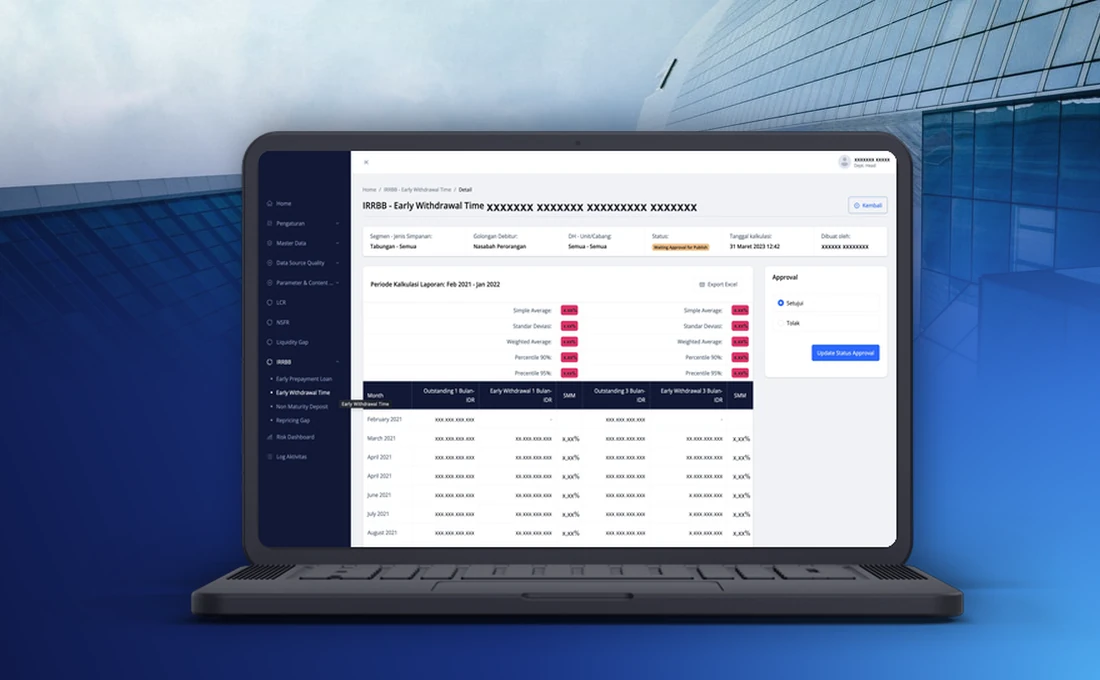
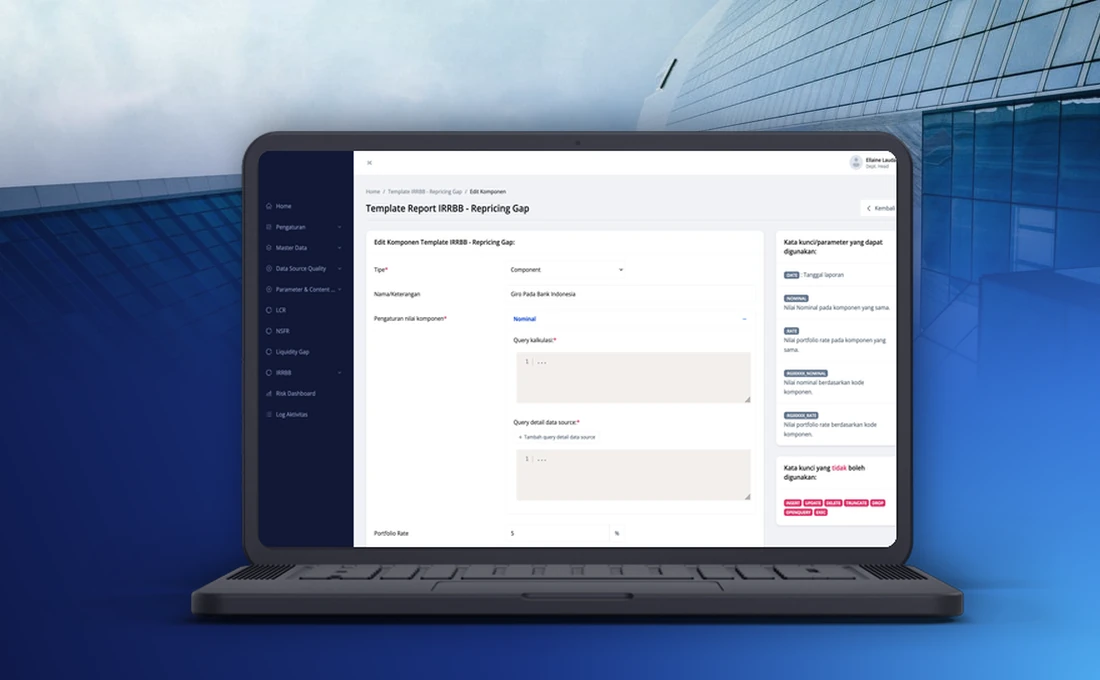
This is an Asset & Liabilities Management system we built for the risk team of a national commercial bank. It brings the bank’s liquidity and interest rate risk reporting into one application. Data from several source systems is imported and checked, reports are calculated from templates the team can adjust, and every report is approved before it is published.
This write-up covers why the bank needed it, what the system does, how a report moves through it, and how it grew.
Why the bank needed the system
Banks have to calculate and report liquidity ratios and interest rate risk to the regulator on a fixed schedule. For this bank, much of that work depended on spreadsheets. How long a report would take was hard to predict, a wrong data set or a wrong method could slip through, and there was little record of who had changed what.
The data itself was part of the problem. It came from several source systems with uneven quality, and matching it to the balance sheet was done by hand. The bank wanted one system that processes the data, runs the calculations the same way each time, keeps a history of every change and shortens the time it takes to prepare a report.
What the system does
A few terms come up throughout the system. LCR, the Liquidity Coverage Ratio, shows whether a bank holds enough liquid assets to cover its short-term cash needs. NSFR, the Net Stable Funding Ratio, looks at how stable the bank’s funding is over a one-year horizon. The Liquidity Gap compares cash coming in and going out across time ranges. IRRBB, short for Interest Rate Risk in the Banking Book, covers interest rate risk on the loans and deposits a bank holds. ILAAP, the Internal Liquidity Adequacy Assessment Process, is where the bank assesses its liquidity, including liquidity within the day.
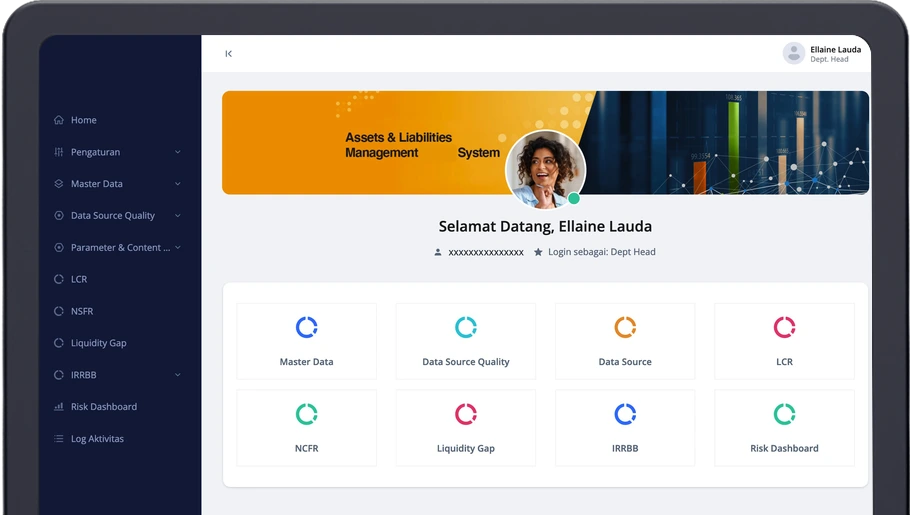
The system is organised into these modules:
| Module | What it does |
|---|
| Master data and access control | Reference data, user accounts, roles and access rights. |
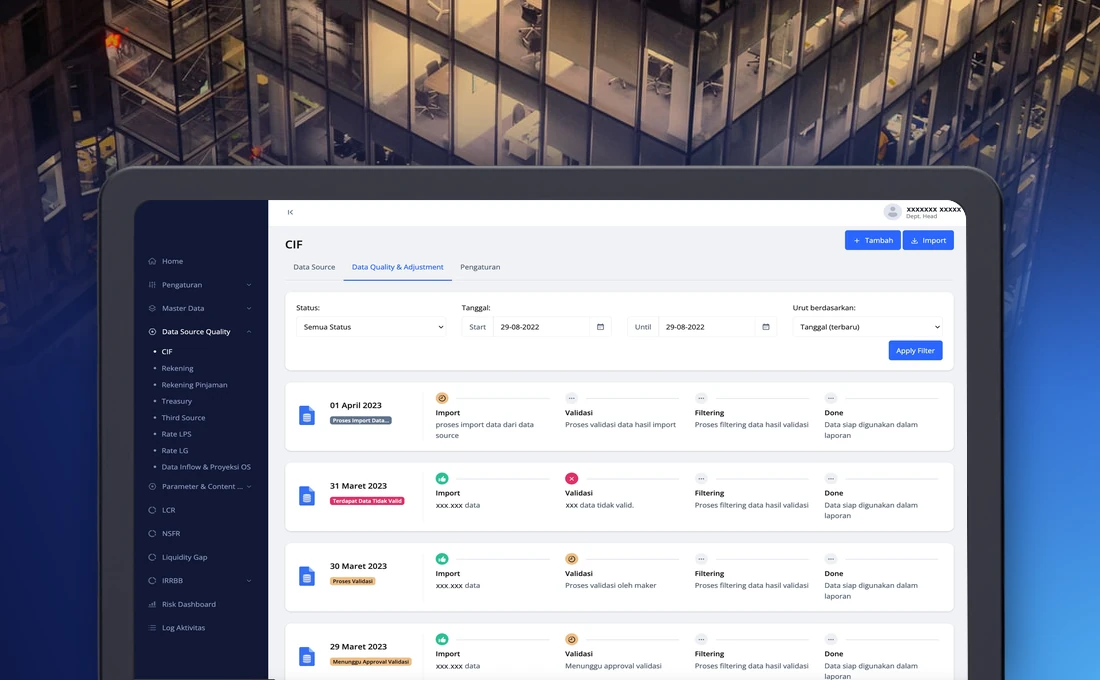
| Data source quality | Import, validation and filtering of data from several source systems before it is used in a report. |
| Report templates | Templates that define the components of each report, which the team can adjust. |
| Liquidity reporting | LCR, NSFR, Liquidity Gap and intraday liquidity reports prepared under the regulator’s rules. |
| Interest rate risk reporting | The IRRBB reports. |
| Risk dashboard and monitoring | Dashboards that summarise liquidity risk indicators. |
| Approval and activity log | Approval of data and reports, and a full log of activity. |
How a report moves through the system
Each report follows the same path, which is what lets the team work the same way across every report.
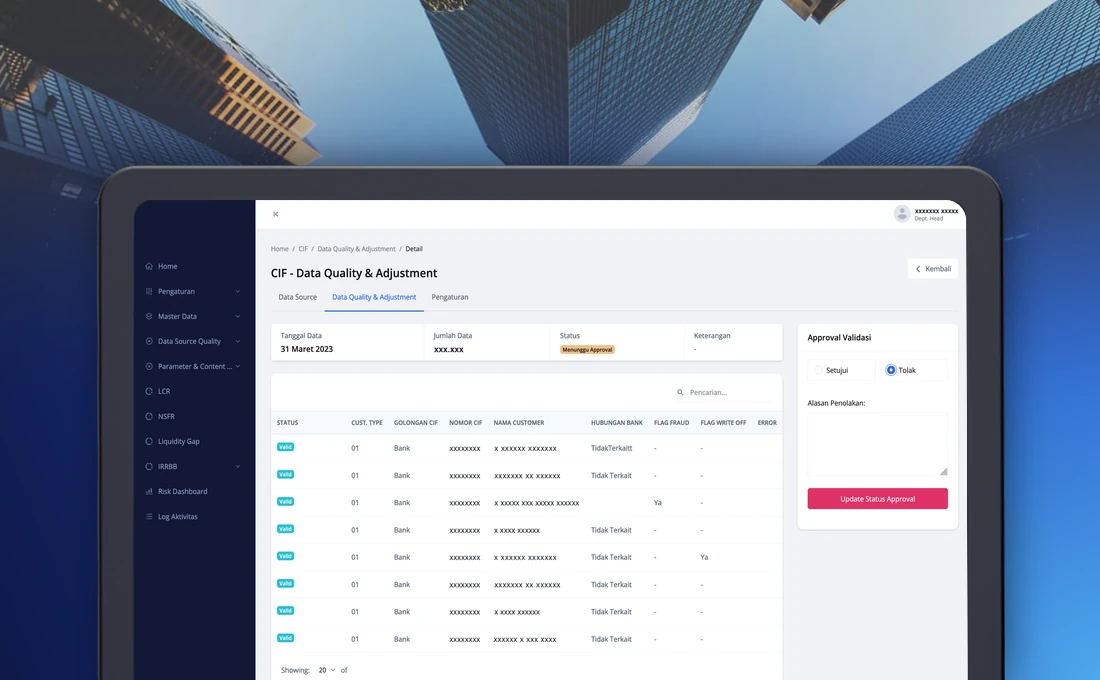
- Data from a source is imported, validated and filtered. Records that fail validation are flagged, and the team can delete them in bulk.
- The data is reconciled against the balance sheet and marked as matched or not matched.
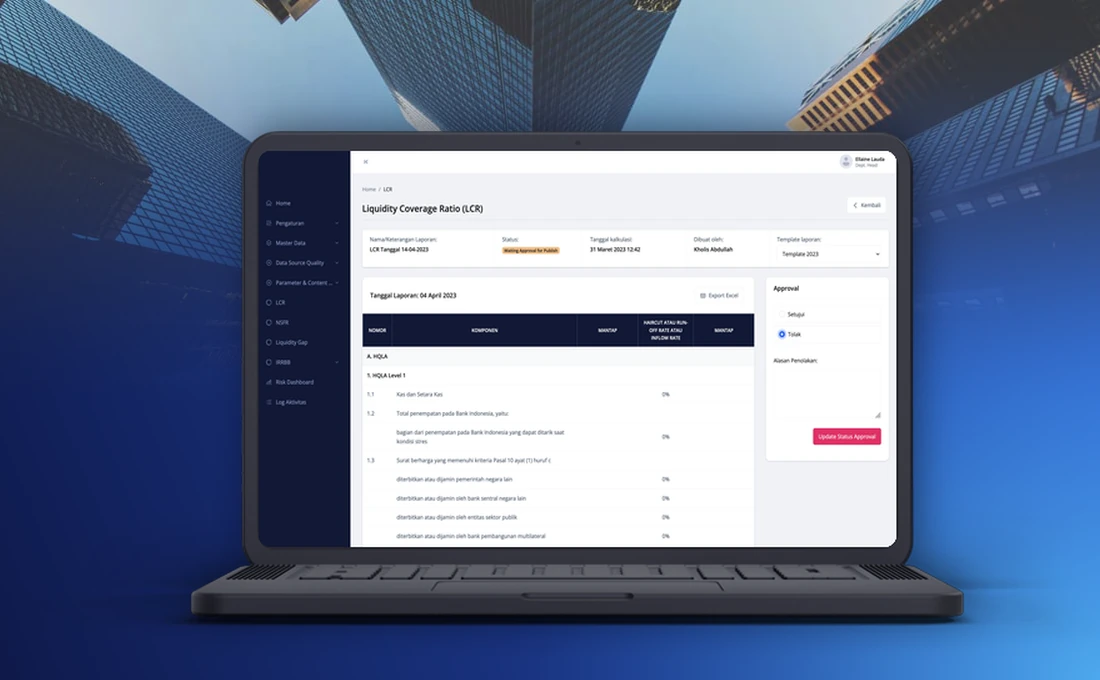
- The report is calculated from the active template. It can be recalculated, or run for an earlier date.
- The maker prepares the report as a draft and submits it. Its status changes to waiting for approval.
- The approver reviews what was added, edited or deleted, then approves it or rejects it with a reason. Approved reports are published.
Every step is logged, so the bank can see who made a change, who approved it and when.
How the system grew
The system was delivered in phases. The regulator updated its rules along the way, and the team found things to improve once they used it every day, so each phase was scoped as an enhancement of the same application.
| Phase | What was added |
|---|
| First phase | Access control, master data, data quality for each source, report templates, the liquidity and interest rate risk reports, a risk dashboard and the activity log. |
| Second phase | Calculations adjusted to the regulator’s updated rules, balance sheet reconciliation, bulk deletion of invalid data, change details on the approval screen and an overview of items waiting for approval. |
| Third phase | Additional liquidity modules, risk monitoring with its own dashboard, a check for approved data that still contains invalid records, reorganised menus, reference data managed in the app with approval, and validation settings that users manage themselves. |
Because calculation rules sit in templates, a rule change does not have to wait for redevelopment.
What changed for the team
The calculations now run the same way every time, instead of depending on whoever built the spreadsheet. Reconciliation against the balance sheet happens inside the system, and the approval history is stored next to the report it belongs to. Reference data that used to be edited directly in the database now goes through the same maker and approver steps as everything else.
If your team runs regulatory reporting on spreadsheets, our fintech software development page describes how we approach projects like this one.