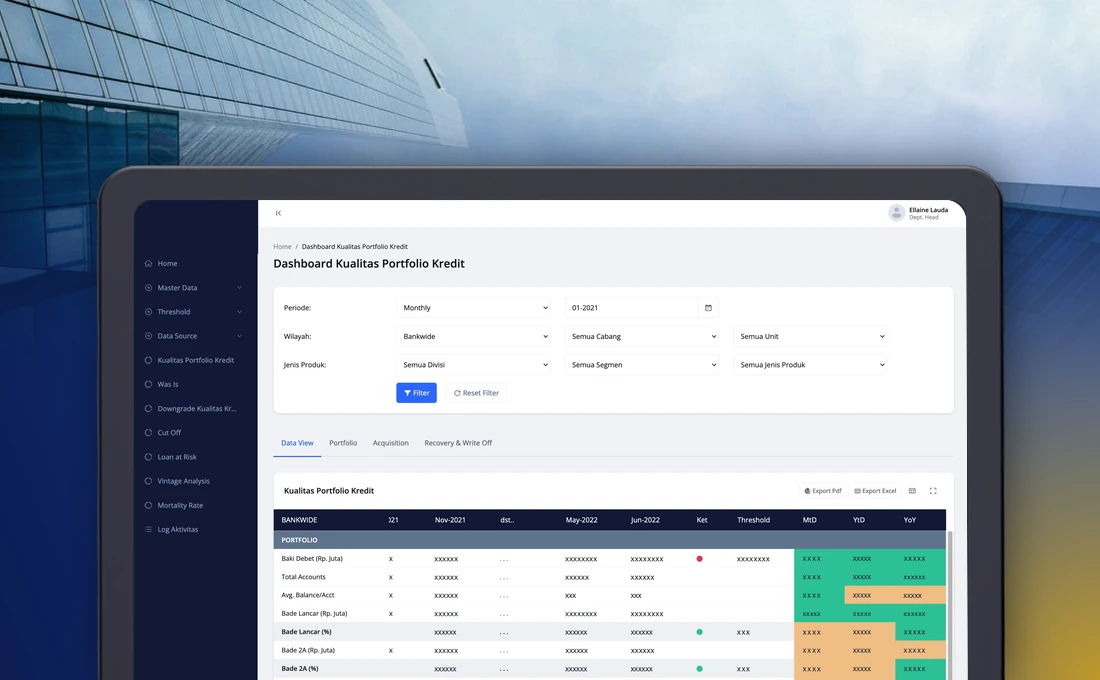
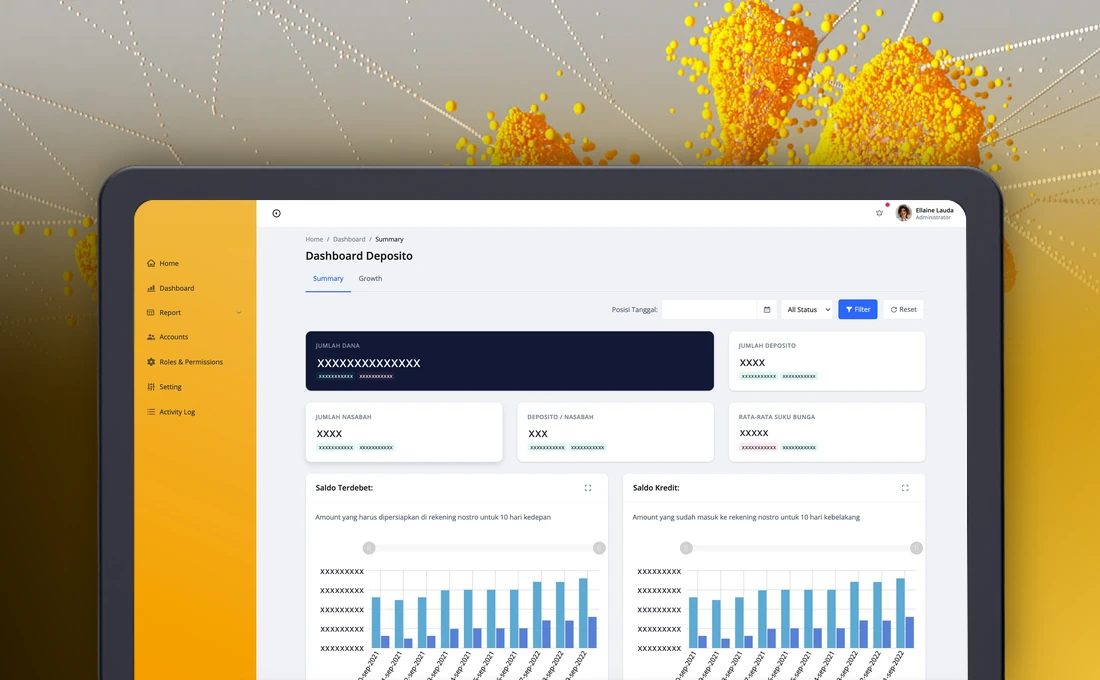
• Dashboard
  • Web App
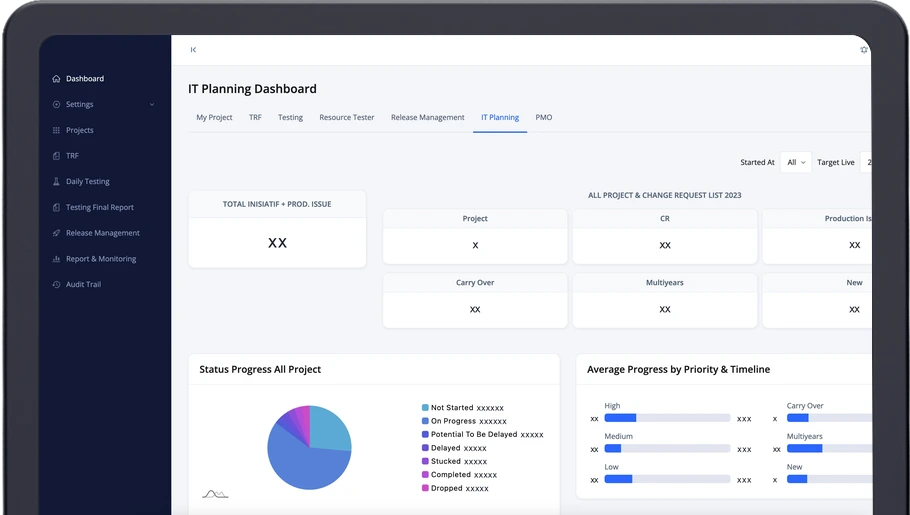
IT planning dashboard of a project management application on a laptop

Project Management Application for a Bank

Last updated:

About Project

A web application that helps the IT division of a national commercial bank manage and monitor projects from initiation to go live. Stages, documents, testing, releases, issues and discussion live in one place, every important step goes through approval, and dashboards give a view of all projects across the bank.

Client
Confidential
Banking Sector
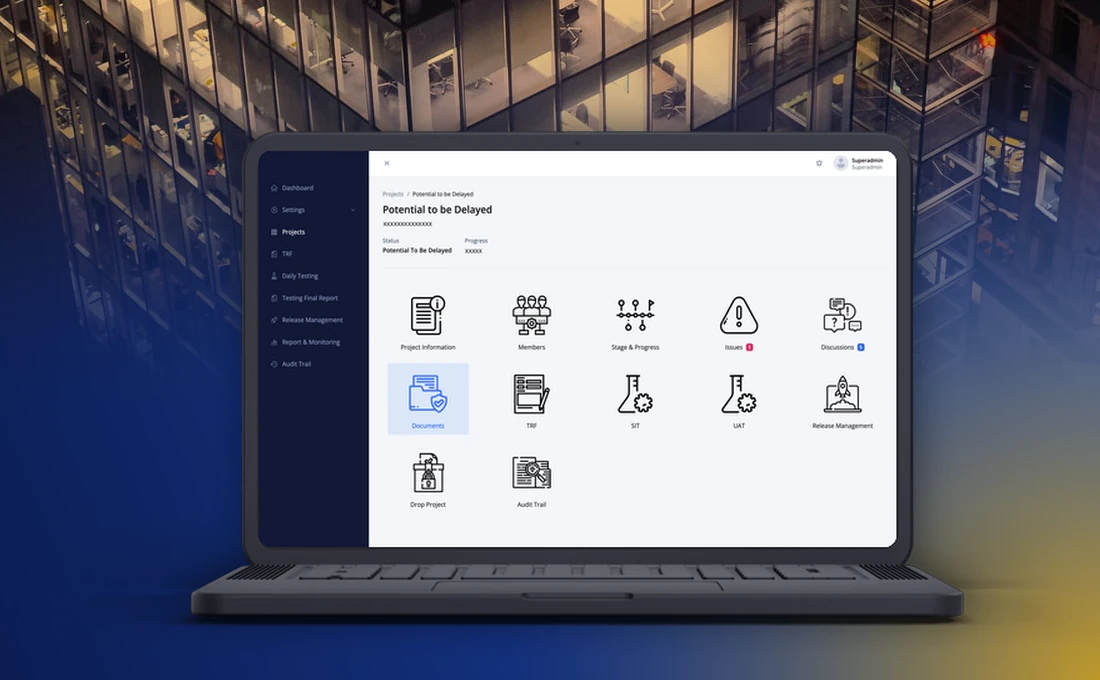
Project cockpit with tiles for information, members, stages, issues, documents, testing and release

Key Features

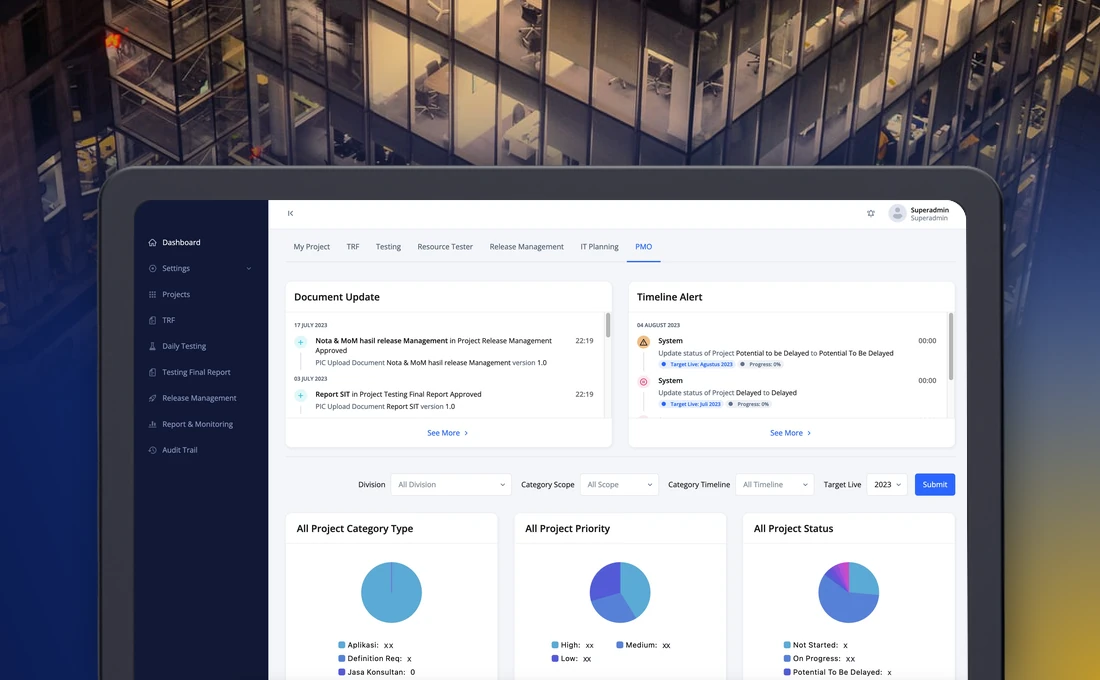
  • PMO dashboard with document update and timeline alert lists and pie charts

    IT planning and project management office (PMO) dashboards

    Counters for projects, change requests and production issues, progress by status and average progress by priority appear in cards and charts that are easy to read. The same dashboards show timeline alerts and document updates.

  • Project cockpit with tiles for each part of a project

    Project cockpit

    Each project has one entry point to its information, members, stages, issues, discussion, documents, testing, release and audit trail.

  • Approval at every important step

    Initiation, progress updates, documents, test requests, test reports, release requests and stopping a project all go through makers, checkers and approvers. Each can leave a rejection note.

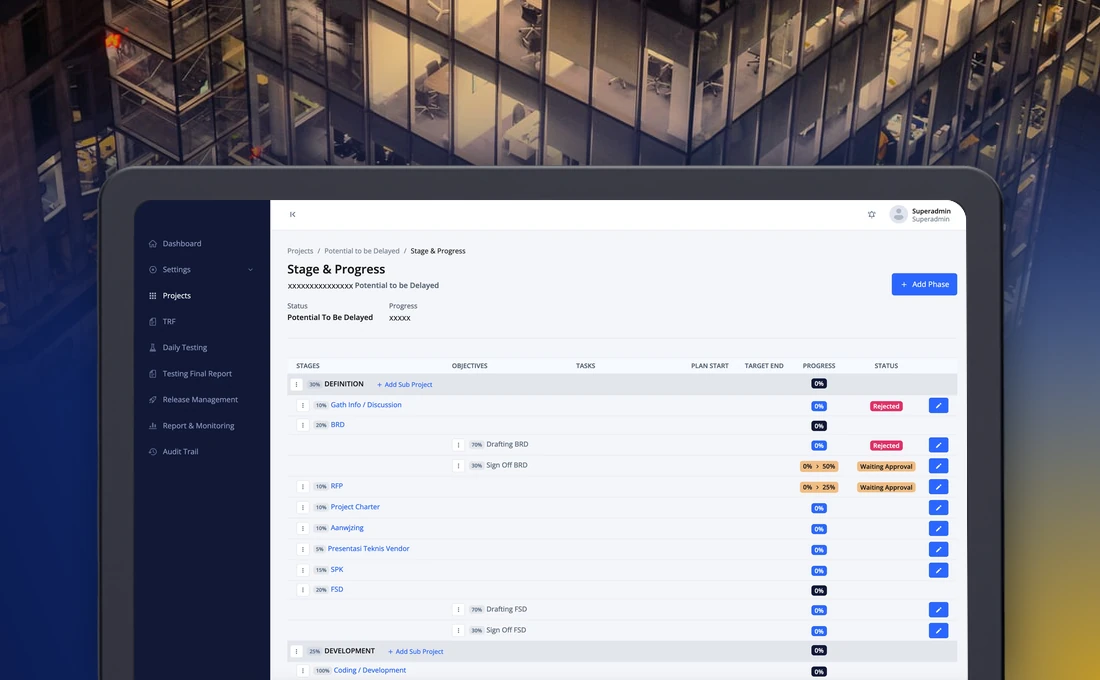
  • Stage and progress tree with weights and approval status

    Stages, objectives and progress

    Phases and stages show their weight, progress and status. Progress changes only after it is approved.

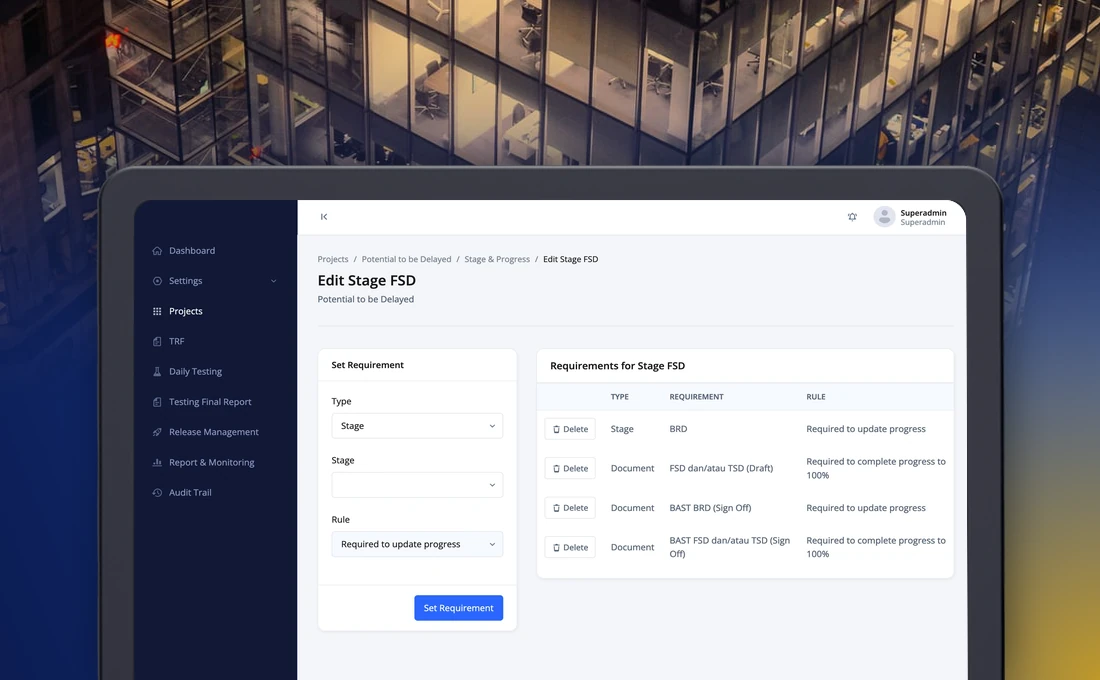
  • Stage requirement form and list of requirements

    Stage requirements enforced automatically

    Before a stage opens or closes, the application checks that earlier stages and mandatory documents are complete.

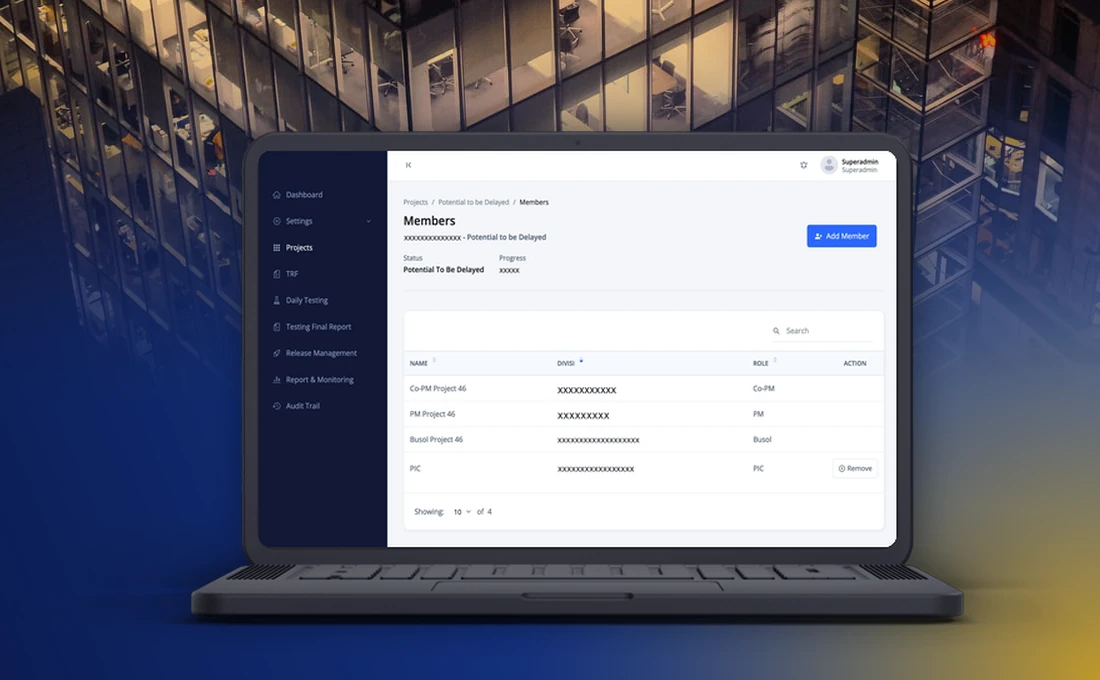
  • Project members list with division and role

    Project members and roles

    The project team, business owner and responsible person are registered per project, with their division and role.

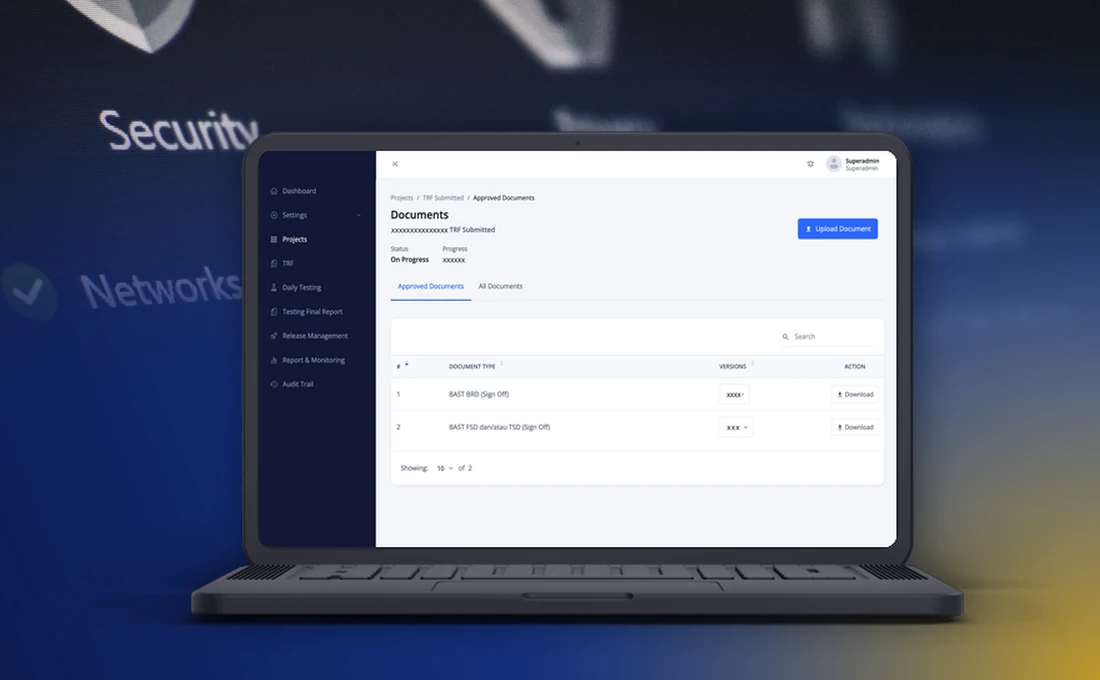
  • Approved documents list with versions

    Versioned documents

    Approved documents are stored by type with their versions, and every version can be downloaded.

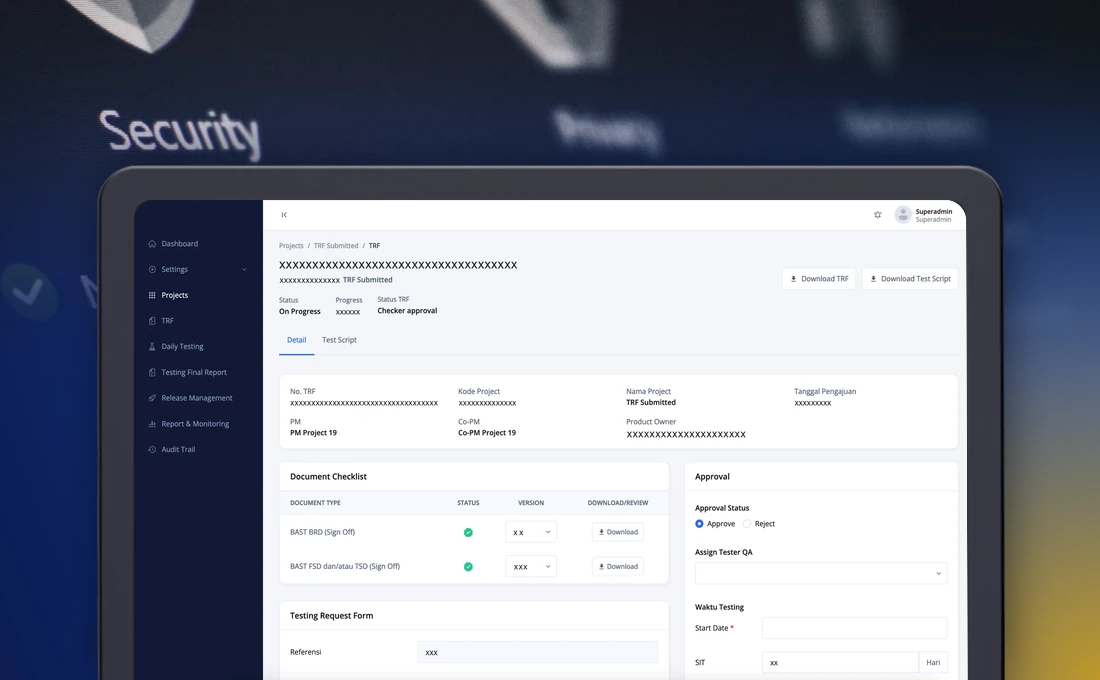
  • Test request page with document checklist and approval panel

    Test requests

    A request carries a document checklist, quality assurance approval, a schedule and tester assignment.

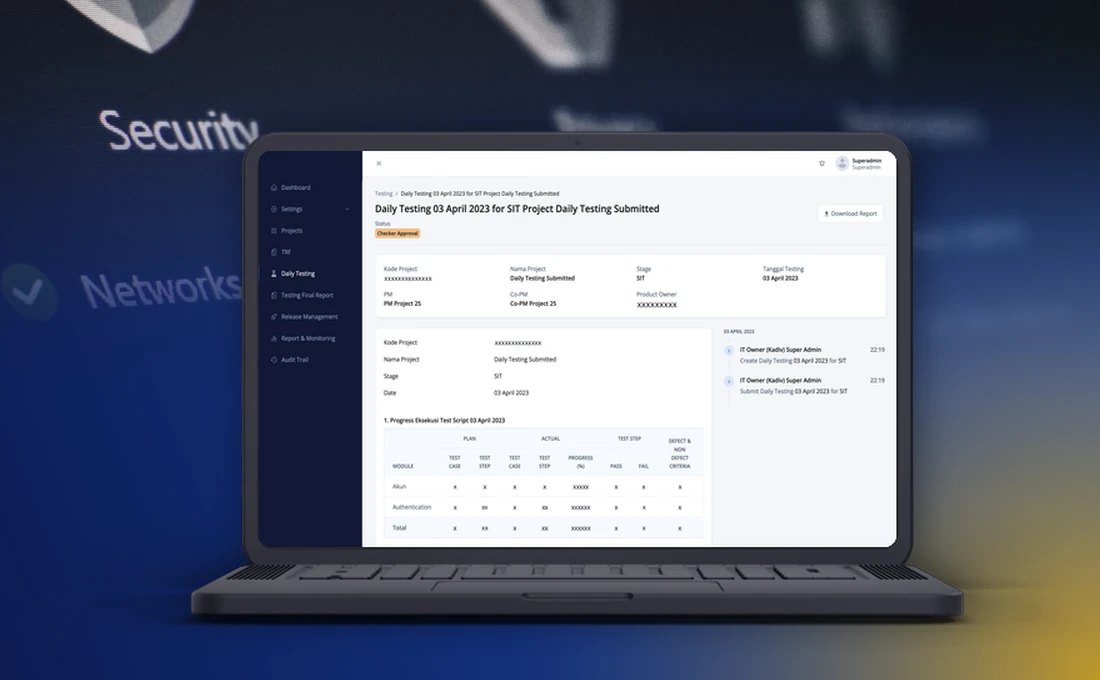
  • Daily testing report with test script progress

    Daily testing reports

    Daily reports summarise how far the test scripts have run and what passed or failed, and go through the same checking and approval.

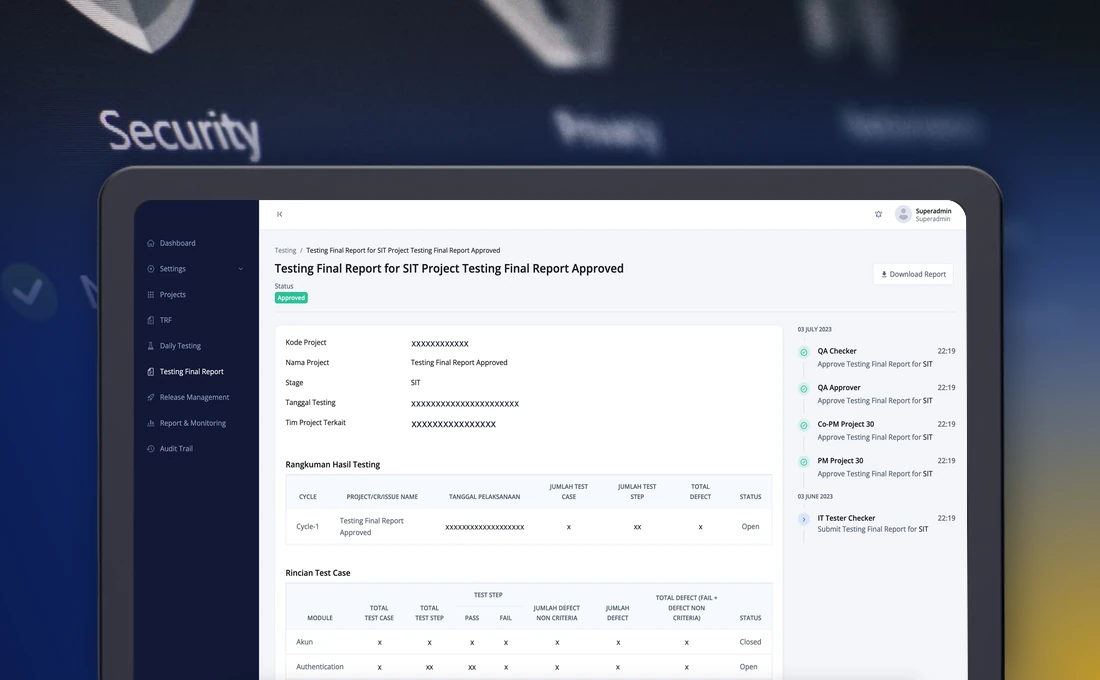
  • Final testing report with summary, detail table and approval timeline

    Final test report

    The final report is checked and approved step by step up to the project manager, with the whole approval timeline beside it.

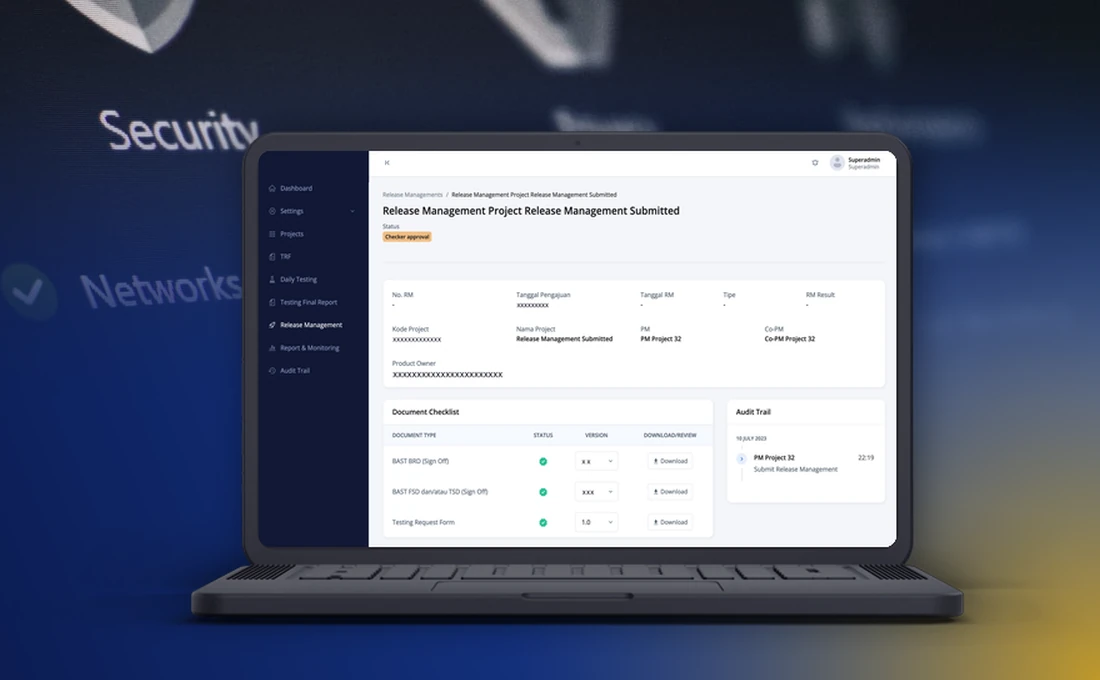
  • Release request page with document checklist and audit trail

    Release requests and audit trail

    A release request follows the same flow as testing, and every change and approval is logged in the audit trail.

How we built a project management application for the IT division of a national commercial bank

This is a project management application we built for the IT division of a national commercial bank. It follows a project from the first proposal to go live in one place: stages and progress, documents, testing, release management, issues and discussion, with dashboards that show all projects across the bank.

This write-up covers why the bank needed it, what the application does, how a project moves through it and how the work was approached.

Why the bank needed the application

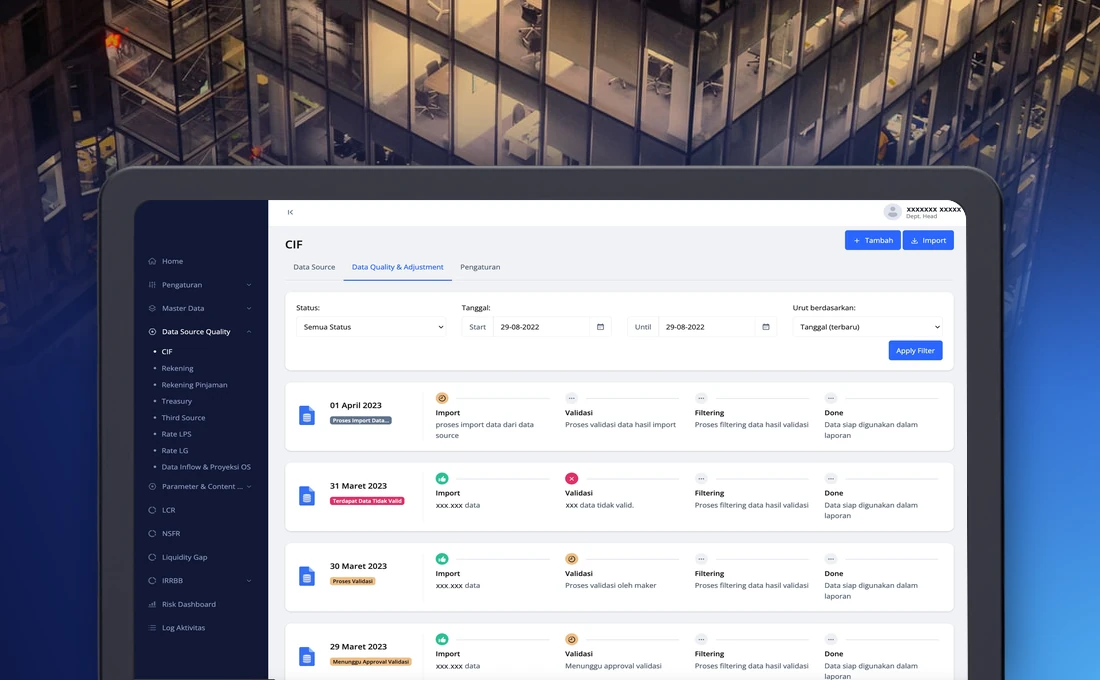
The bank had no project management tool. Recording initiatives, planning work and resources, requesting tests, preparing reports and the other administration around a project was done by hand. Some of those activities had their own applications, but they stood alone, so a consolidated report or an overall view of the portfolio of projects was hard to produce.

Manual administration invites mistakes, and a project that is not tracked well can drift without anyone noticing. The bank wanted one application that follows its internal IT procedures and acts as the project database for the whole bank.

What the application does

ModuleWhat it does
SettingsGeneral and email settings, holidays, roles and accounts, and reference data such as directorates, divisions, departments, classification, priority and document types.
Project initiationNew projects by form or Excel upload, checked and approved by IT planning and the project management office.
Project managementThe project cockpit, information, members, stages and progress, documents, issues and discussion.
Drop projectA staged request and approval to stop a project.
TestingTest requests, daily testing and the final test report.
Release managementRelease requests, scheduling and quality assurance approval.
Reports and dashboardsProgress, Gantt chart, per-stage progress, testing, tester resources, test requests, test status and release reports, with dashboards for projects, testing, release, IT planning and the project management office.
Audit trailActivity and approval logs.

How a project moves through the application

  1. IT planning and the project management office propose a project. Checkers review it, and approvers accept it.
  2. The project structure is set up in phases, stages, objectives and tasks, with the documents each stage requires.
  3. Team members update progress. A stage cannot be opened or closed until its requirements, including mandatory documents, are met, and each progress update is approved.
  4. The project team submits a test request. Quality assurance checks it, schedules the testing and assigns testers.
  5. Testers run the test scripts and file daily reports, then a final report that is approved up to the project manager.
  6. The project manager submits a release request, which follows the same checking and approval.

At each step the person who made the change, the person who checked it and the person who approved it are all on record.

How the work was approached

StepWhat happened
Kick-offScope, roles, security expectations, delivery rhythm and the approach were agreed with the bank’s IT division. The team used rapid application development.
Prototype firstA first stage focused on the business process and a prototype, to confirm the flows with the people who would use them.
RefinementA second stage focused on bug fixing, features and interface improvements.
SpecificationThe specification grew from the base flows to the reporting module, then absorbed the review findings and the references to the bank’s own procedures. Backup, restore and migration steps were added.
HandoverThe bank received the source code, the specification, internal test documents, migration and technical documentation and a user guide.

The first phase covered project management, testing, release management and the dashboards. The structure leaves room for sub-projects and other types of project later.

What changed for the team

Projects now live in one source of truth. The requirements of a stage are visible before anyone starts it, approvals follow the same pattern from initiation to release, and a manager can go from a dashboard chart to the project behind it without asking for a report.

If your IT division manages projects across spreadsheets and separate tools, our enterprise software development page describes how we approach projects like this one.


Challenge

  • Initiatives, plans, tests and reports were recorded by hand and scattered across many places.
  • Several supporting applications stood alone, so consolidated reports were hard to produce.
  • Many units take part in a project (IT planning, the project management office, quality assurance and the project teams), and each decision needs staged checking and approval.
  • A stage should not open or close before its requirements, including mandatory documents, are met.
  • Testing and release have their own flows that must be recorded and auditable.
  • Management needed dashboards that are easy to read, not stacks of spreadsheets.

Our Solution

  • One web application for the whole project life cycle: initiation, definition, development, testing, release and closing.
  • A layered structure of phases, stages, objectives and tasks, with configurable classification and stage requirements that the application enforces.
  • Project documents stored by type with versions, and approval required for the ones that matter.
  • A maker, checker and approver flow for initiation, progress, test requests, test reports, release requests and stopping a project, with rejection notes.
  • Testing management: requests, tester scheduling, test scripts, daily reports and a final report.
  • Dashboards and reports with export, timeline alerts and document updates, plus role-based access and an audit trail at application and project level.

DISCLAIMER:
To protect client confidentiality, all data displayed, including names, numbers, identifiers, values, and the length, structure, and format of such data, has been replaced with fictitious data, randomized, or obscured, and does not reflect any client's actual data or systems. No inference about any client's actual data, systems, or business information should be drawn from these materials. Any resemblance to actual persons, organizations, or data is purely coincidental.

Other Case Studies

See more digital solutions built to improve operations, customer experiences, and business growth across industries.

background globe

Let’s talk.

We're ready to help you deliver high-performing websites, boost your business visibility in search engines, and build digital platforms tailored to your specific needs.